 TuneFinderDocumentation
Indexes and title detection · iOS · Android
Edit indexes and exchange CSV
Create entries manually, correct page ranges, and import or export an index.
Create or edit an index
- Open the book details from Books.
- Tap Create index manually when no index exists, or Edit index for an existing index.
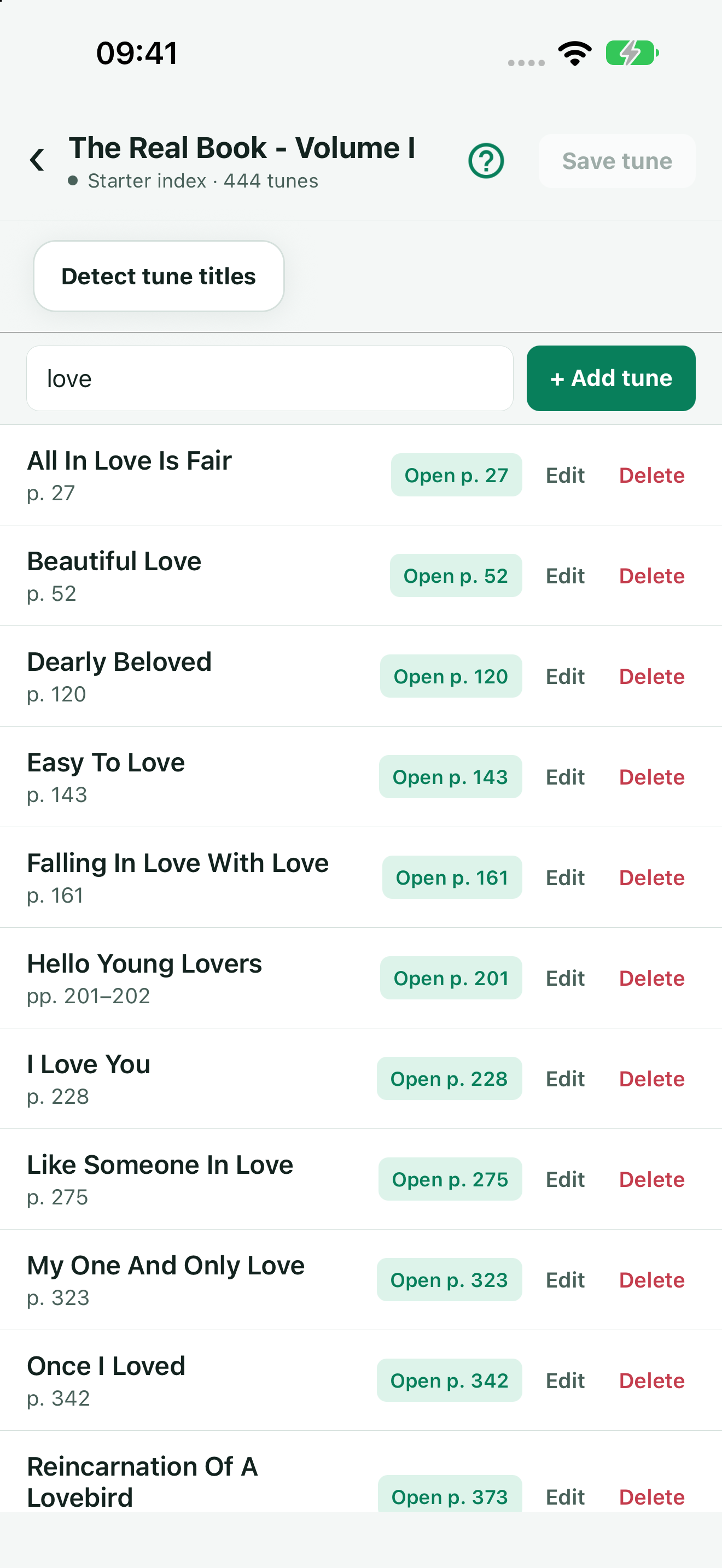
- Tap Add tune, enter the title, First page and optional Last page, then save the entry.
- Use Edit on an existing entry to correct it, or Delete to remove that entry.
- Tap the editor’s top Save tune button to save the complete index.
Saving a form entry and saving the complete index are distinct steps. Use the editor’s search box to locate an entry in a long index. If you leave with unsaved edits, read the confirmation before choosing whether to keep or discard them.
Correct PDF page ranges
Pages are positive whole numbers starting at PDF page 1. Leave the last page empty for a single-page entry, or enter a last page at or after the first. Open the PDF page from the editor to verify it.
Printed page numbers can differ because of covers and contents pages. Correct the index’s PDF page numbers; the app does not offer a global offset-adjustment control. For example, if printed page 10 is PDF page 14, an entry must start at 14. Check the offset through the document rather than assuming it stays constant.
Import CSV
- Keep an exported copy of the current index before replacing it.
- In book details, tap Import CSV and choose a text CSV file.
- Check the imported entries in Edit index, including their PDF pages.
The file uses comma-separated columns Title,FirstPage,LastPage. A header with those exact column names is accepted. A row such as Blue Example,12,14 covers PDF pages 12–14. The third value is optional and defaults to the first page. Quote a title containing a comma, and double any quotation marks inside a quoted title. Use positive integer pages and a last page no smaller than the first.
An invalid or empty CSV is rejected. Import replaces the accepted index; it does not add a PDF or make an unrelated PDF match. If the app reports that another version changed, keep your copy and resolve the conflict before retrying.
Export and verify
Use Export CSV in book details. The share sheet contains the CSV text; save or copy it using a destination that preserves the comma-separated content. An exported index does not contain the PDF itself and is not a complete library backup.
After checking a linked PDF against the index, use Mark reviewed for this PDF if that action is offered. This records your review; it does not automatically correct page numbers. Reset to starter index, when available for a catalogue book, replaces edits with the starter index—export first if you want to retain your changes.