 TuneFinderDocumentation
Books and PDFs · iOS · Android
Import and share a PDF
Add a personal PDF to your library from the file picker or another app.
On this page
Before you start
Use an unlocked PDF, no larger than 500 MB and with no more than 1,000 pages. Download it fully in the source app first. A shared website link is not a PDF document.
TuneFinder copies the PDF into your private library. It does not change the original file. Later changes to the original do not update your imported copy automatically. No cloud connection or purchase is required to import.
Import inside TuneFinder
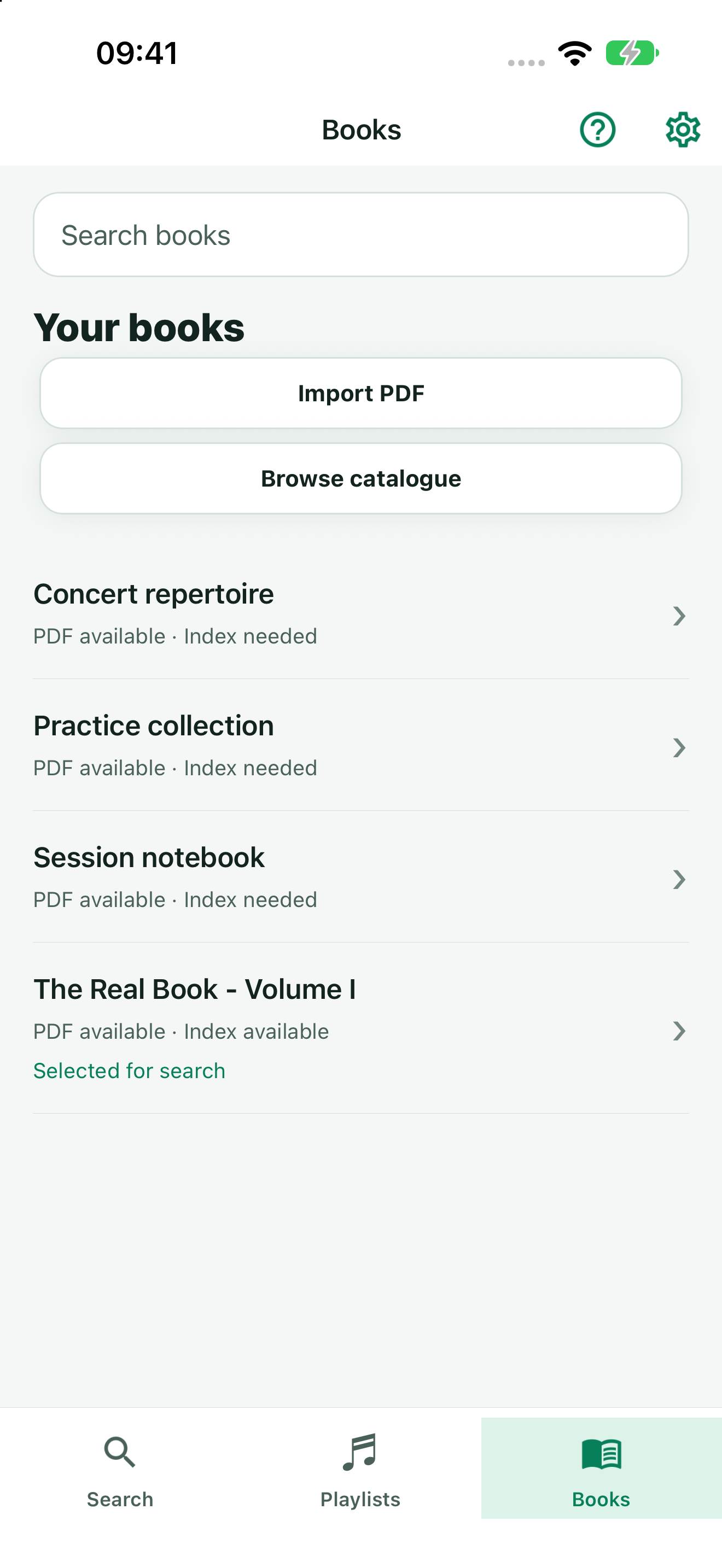
- Open Books from the bottom navigation.
- Tap Import PDF and choose the PDF in the document picker.
- Wait for Importing PDF… to finish. The book appears in your library.
- Tap the book to open its details. You can open the PDF before creating an index.
Share from another app
On iPhone or iPad
- In Apple Books, open the PDF’s options and choose Share. In Files, use the PDF’s share action.
- Choose TuneFinder in the app row. You may need More to find it.
- Wait for TuneFinder to import the PDF and open the book details.
The source app must share an actual PDF. If TuneFinder is missing, check that you are sharing a PDF file rather than a link or an ebook in another format.
On Android
- In your file or PDF app, choose Share or Open with for the PDF.
- Choose TuneFinder and wait for the import to finish.
- Review the imported book in its details screen. If your source app shares several PDFs, TuneFinder imports them one at a time.
No extra storage permission or Google Drive connection is required. The source app must grant access to the PDF, rather than share a website link.
After importing
An exact duplicate opens the existing personal book. To make titles searchable, detect and review titles or create an index manually in the book details. Free search uses one selected indexed book; you can switch that selection without deleting other indexes. Multi-Book Search enables simultaneous search across several books.
If the import fails
Confirm that the source app can open the fully downloaded PDF and that it is unlocked and within the limits. Try importing the same PDF through Import PDF. Keep your original file.
For TF-SYNC-4610, try downloading the PDF locally and sharing the actual file again. TF-SYNC-4612 identifies the size limit, TF-SYNC-4613 a password-protected PDF, and TF-SYNC-4614 the page limit. Other references, including TF-SYNC-4606, may indicate that installation could not finish safely; they do not by themselves mean the PDF is damaged.
If retrying fails, contact support with the app version, iOS/Android version, the action you tried, and the displayed error reference. Do not send a private PDF unless support requests it and you agree.