 TuneFinderDocumentation
Start here · iOS · Android
Your first library and search
Understand PDFs, indexes, books and playlists, then find your first tune.
The four library concepts
A book is an item in your TuneFinder library. Its PDF contains the pages you read; its index contains tune titles and PDF page numbers. Importing a PDF does not automatically make its titles searchable. A playlist stores an ordered selection of tunes from your indexed books for practice or performance.
Your personal PDF import stays private. The library works locally without a cloud account. Synchronization is optional and uses separate providers on iOS and Android.
Build your first library
- Tap Books in the bottom navigation.
- Tap Import PDF and choose an unlocked PDF you own or are permitted to use.
- Tap the imported book to open its details.
- Use Detect tune titles and review the suggestions, or Create index manually to enter titles yourself.
- Save the index, then tap Use for search in the details if the book is not selected.
For detailed steps, read Import and share a PDF and Detect and review titles.
Find your first tune
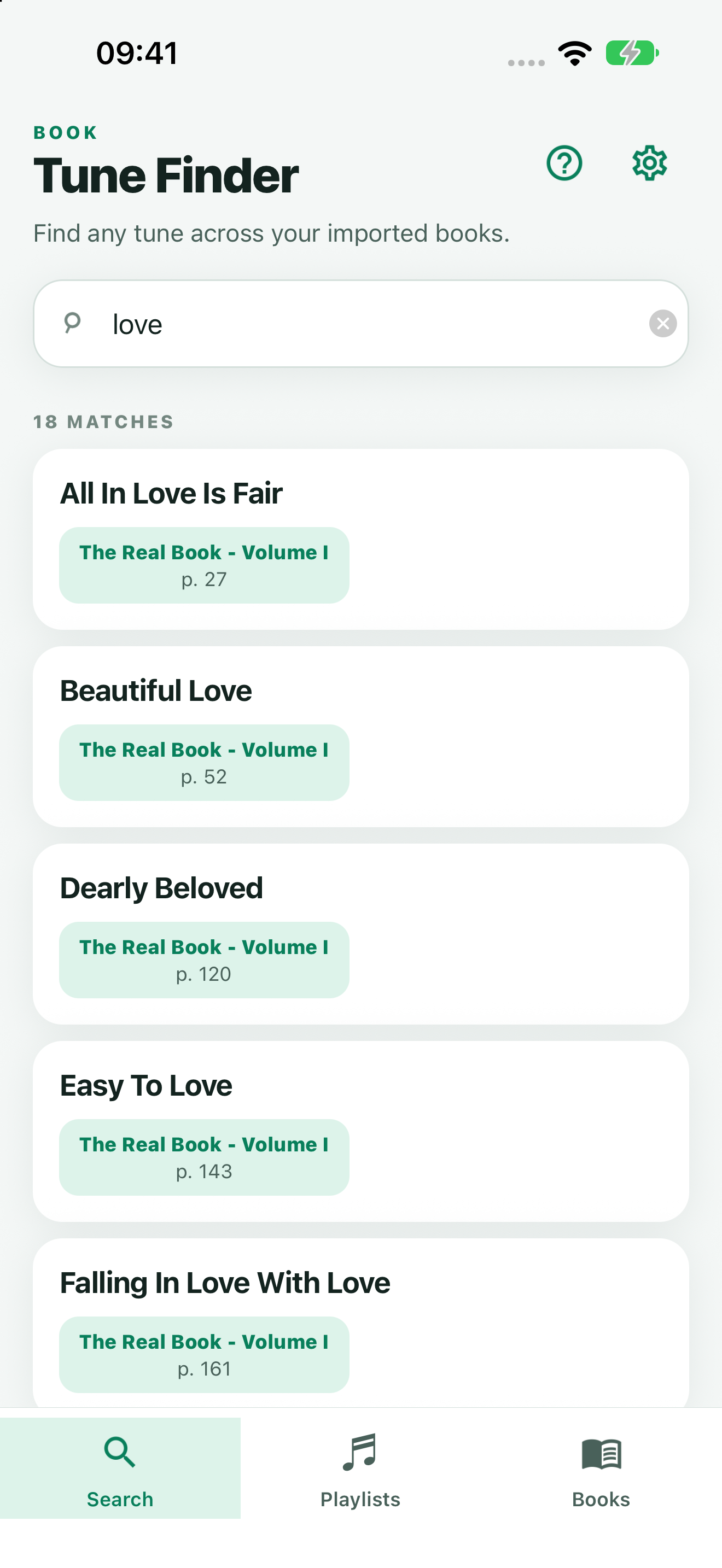
- Tap Search.
- Enter part of an indexed title.
- Tap the result for the book and page you want.
- Read the PDF and use the viewer’s + button to add the tune to a playlist.
Move between views
The bottom tabs are Search, Playlists, and Books. A book row opens its details; the gear button opens Settings, including synchronization and app language. Back returns from a detail/editor screen to the preceding view.
Free search uses one selected indexed book. You can keep several books and choose a different search book without deleting anything. See Search and reading.