 TuneFinder
Your songbook, searchable
Find the tune. Play the music.
TuneFinder puts every tune in your own lead-sheet books at your fingertips, then takes you straight to the right PDF page.
Version 1.5.5 · Available for iPhone, iPad and Android
9:41●●●
Songbook
Tune Finder
Find any tune across your imported books.
love
18 matches
Beautiful Love
RealBk1 p.52Dearly Beloved
RealBk1 p.120Made for the bandstand
Less searching. More playing.
Build a library around the books you use, keep your setlists close, and find a lead sheet before the count-in.
Search every book
Look up a tune once and see where it appears in the indexes you have added.
Jump to the page
Tap a result to open your PDF book directly on the lead sheet you need.
Keep your setlists ready
Save the tunes you play together in playlists, with optional device sync when you want it.
Getting started
From book to bandstand in three steps.
TuneFinder searches indexes of the songbooks you own. Connect a PDF to an index and a search result can take you directly to the corresponding lead-sheet page.
01
Prepare your library
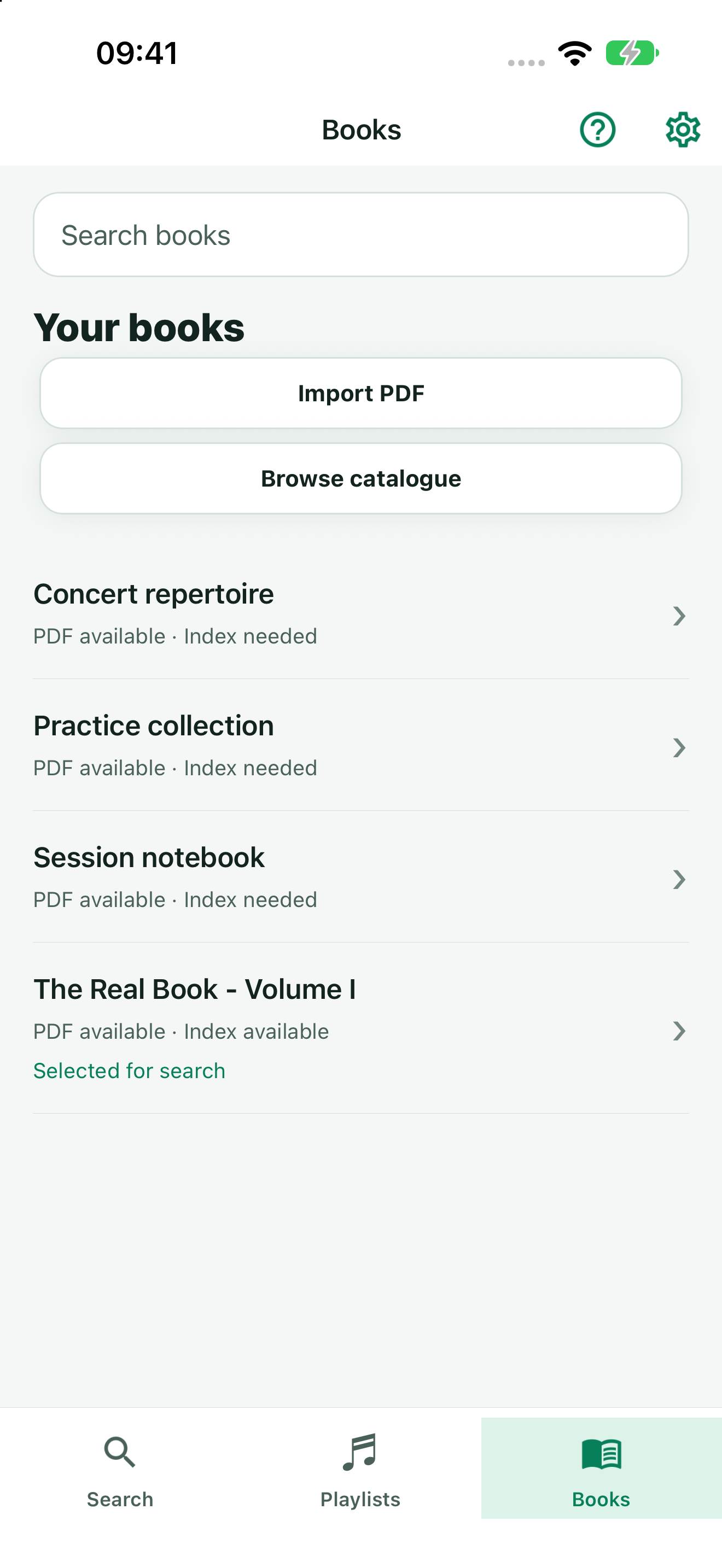
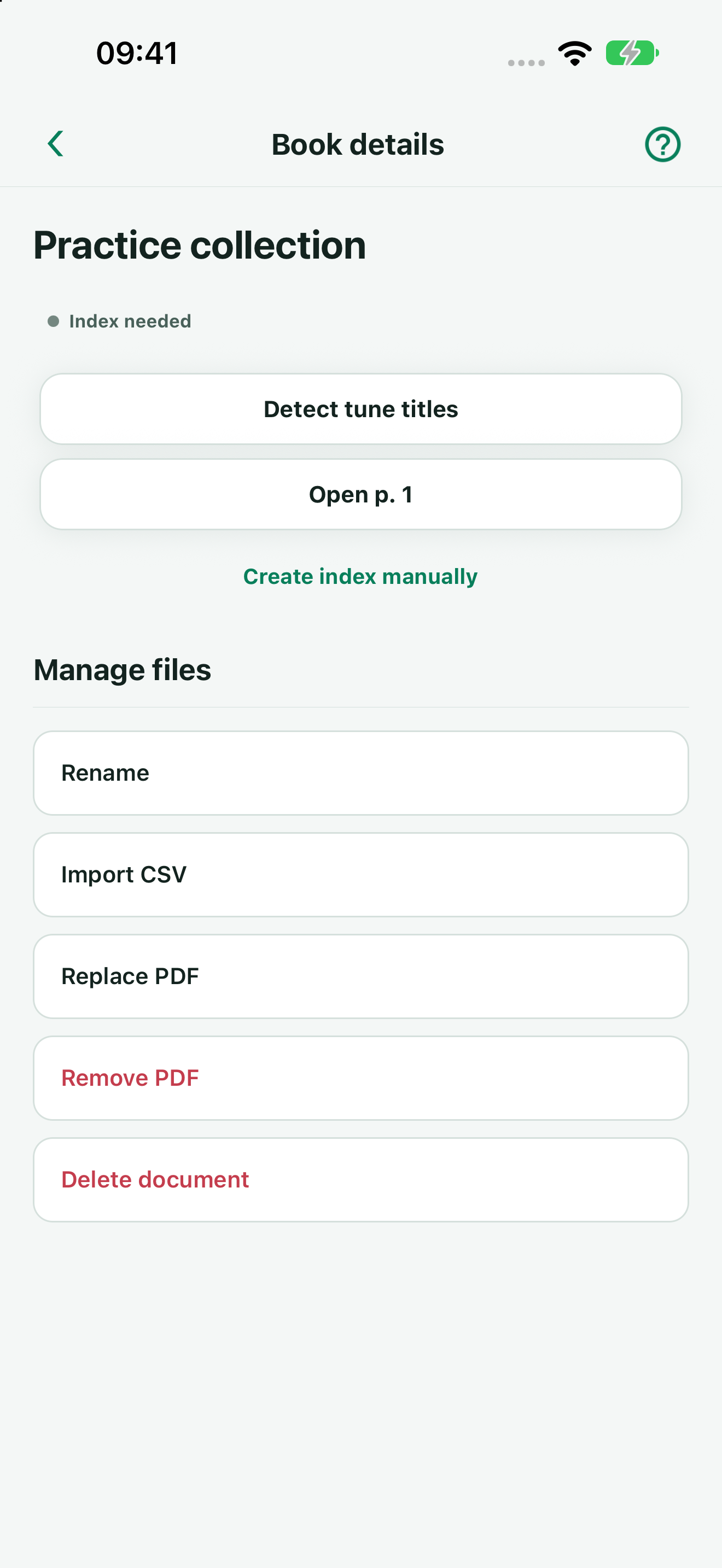
Import a PDF and review its index
Import your music PDFs and make their tune titles searchable. TuneFinder uses on-device OCR to suggest an index, which you can review, correct and complete in the index editor. You can also create an index manually or import one as CSV.
- Open Books and choose Import PDF, or share a PDF into TuneFinder from another app.
- Choose Detect tune titles, review the suggested titles and pages, then save the index.
- Choose Use for search on the book, then open Search to find a tune.
Search one selected book for free. Multi-Book Search, available as an in-app purchase, lets you search several indexed books at once.
02
Find a tune
Search by title and open the exact page
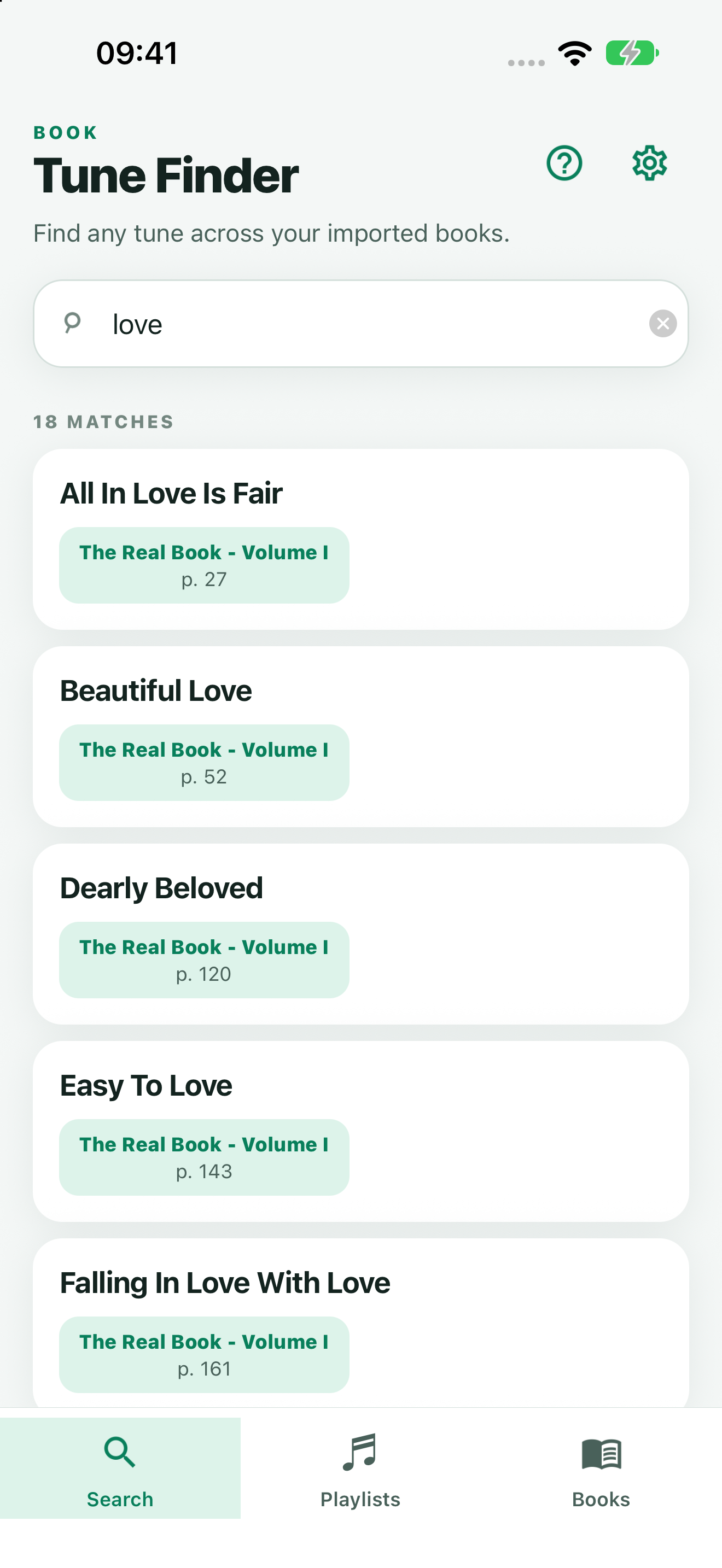
Start typing any part of a tune title. Results appear as you type, with the matching book and printed page number shown on each card.
- Enter a full or partial tune title in the search field.
- Choose the result from the book you want to use.
- TuneFinder opens the connected PDF at the matching page, so the lead sheet is ready to read.
Page offsets can differ between PDF editions. Book settings let you adjust the result if your file includes extra cover pages.
03
Organise your music
Build playlists for rehearsals and gigs
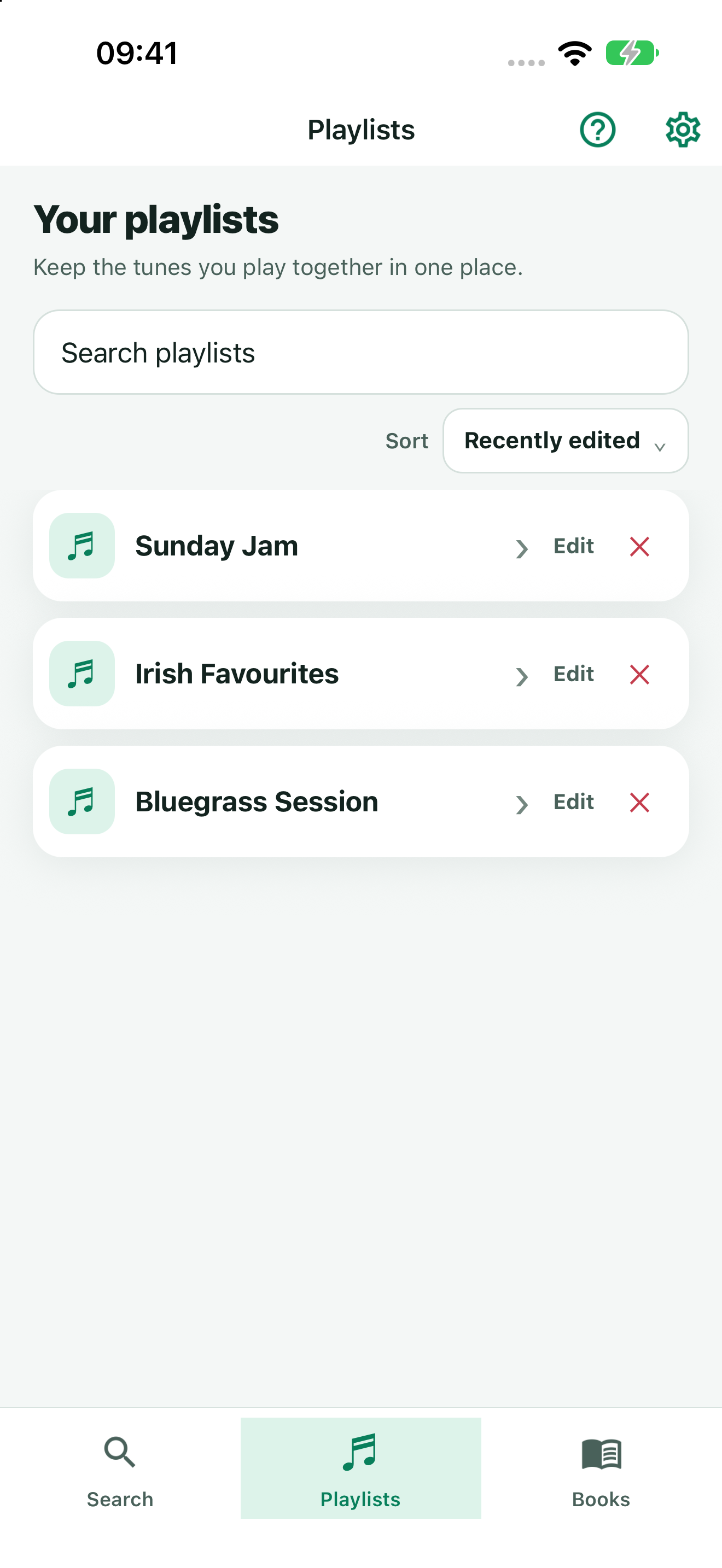
Keep tunes that belong together in a setlist. Open a tune and tap the add-to-playlist button to choose an existing playlist or create a new one.
- Open a tune from your search results.
- Tap +, then select or create a playlist.
- Open Lists from the home screen to browse, rename, reorder, or remove entries from your setlists.
Pull down on the Playlists screen to refresh. Optional device sync can keep playlists available on your other devices.
Optional iCloud sync
Keep TuneFinder in step across your Apple devices.
On iPhone and iPad, TuneFinder can keep a copy of your library in iCloud Documents. Sign in to the same iCloud account on each device and your playlists, book indexes, and connected PDFs can follow you between them.
Set it up
- Make sure iCloud Drive is enabled for TuneFinder in iOS or iPadOS Settings.
- Open Settings in TuneFinder and tap Enable iCloud sync.
- Repeat on your other Apple devices using the same iCloud account, then tap Sync now if needed.
How it behaves
- Sync runs at startup and after local library edits when your provider is ready.
- Pull to refresh on Playlists or Book indexes to request an update.
- Playlist edits are merged across devices, including tune additions, removals and ordering.
- Pausing sync keeps both the device and iCloud copies intact.
Good to know: TuneFinder stays local-first and
works without iCloud. This synchronisation is only between Apple
devices. Android connects to a Google Drive account selected in
Settings; libraries will not transfer between iOS and Android.
TuneFinder 1.5.5
New in 1.5.5
Import your music PDFs, detect tune titles with on-device OCR, and review the index before searching. Keep your books and playlists close at hand.
Import your music PDFs
Import PDFs directly or share them into TuneFinder from another app.
Detect and review tune titles
Detect tune titles with on-device OCR, then review and edit the proposed index.
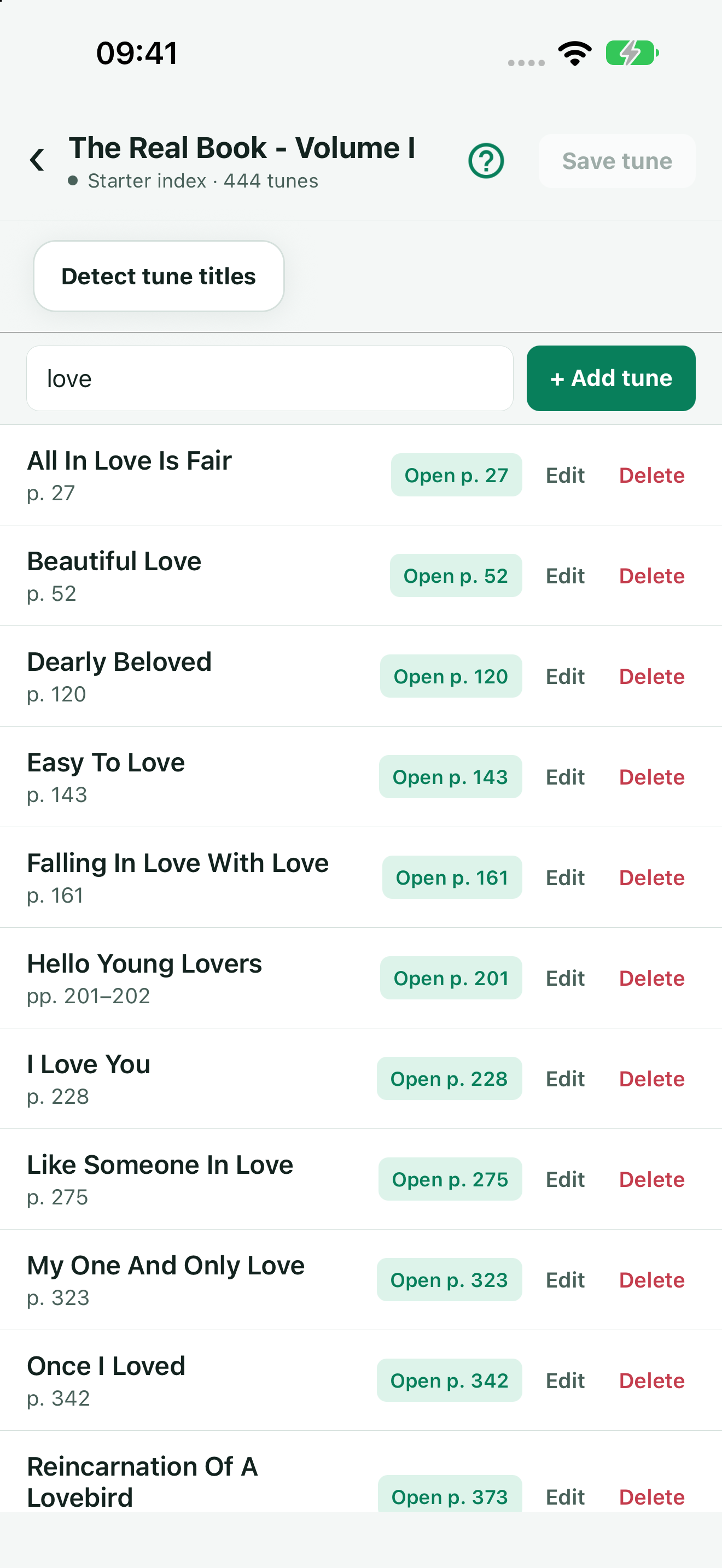
Find your books quickly
Find your books quickly in a searchable library with dedicated book controls.
Move between your music views
Move between Search, Playlists and Books using bottom navigation.
TuneFinder 1.5.5
Your next tune is already in the book.
Download TuneFinder and make your own songbook library easier to use.
Support & feedback
Need help or have an idea? Contact TuneFinder support.
Privacy first
TuneFinder does not require an account or collect your personal data. Your library stays yours.